


Guide covers how to turn discord notifications on/off for trade notifications.

Overview

While trading on Adothria - you may find yourself wanting to get notifications easier. This guide will walk you through connecting your discord account & setting up trade notifications for discord.
There are some prerequisites to this before you can begin:
Getting Trade Notifications Enabled
Before we can get trade notifications enabled, you either must've signed up using discord, or link your discord.
Step 1 - Linking your discord account
You can see if your discord is linked by navigating to your profile page, and clicking the settings tab.
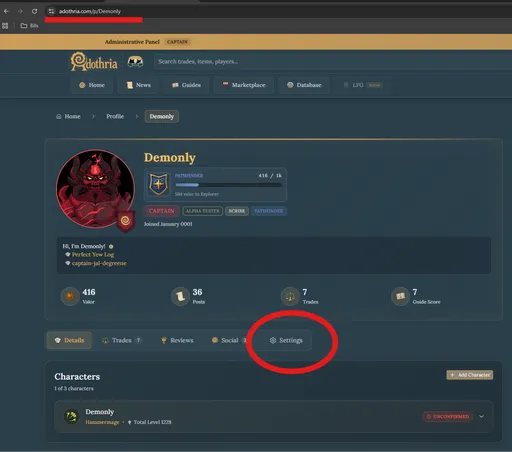
From your settings tab, you'll click on the connections tab
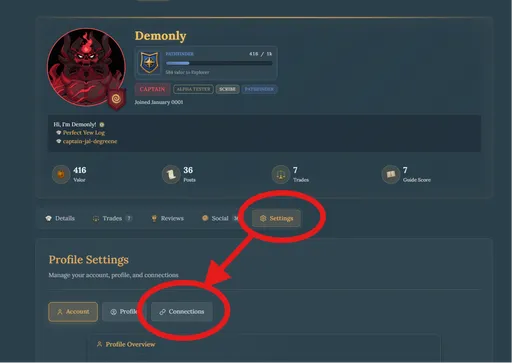
From the connections tab, now you can see if discord is linked or unlinked, in our inital instance we're unlinked, so you see that I am signed up through steam and can connect a discord account, passkey, or authenticator. I want to choose discord for notifications.
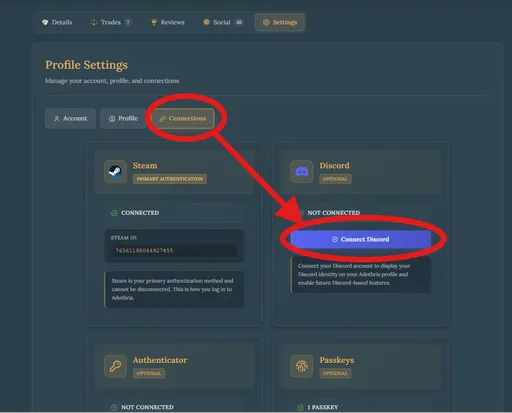
We'll proceed to click on the connect discord button, which will take us to a discord sign in page, you can safely sign in to discord here. Observe the permissions that we request during your sign in:
- ✅ Access your username, avatar, and banner
- ✅ Know what servers you're in
- ❌ Bake a cake
This means you're authorizing adothria to know your username, avatar link, banner link, and know what servers you're in.
We use this information to determine if you're in the Adothria discord (if you're not then we can't link your discord account - as this is a reserved feature for users who are in our discord)
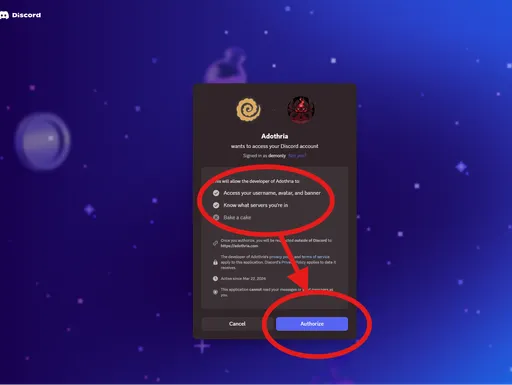
Click authorize and it will take you back to Adothria with a notification that you've successfully linked your discord account.
Step 2 - Enabling Discord Notifications
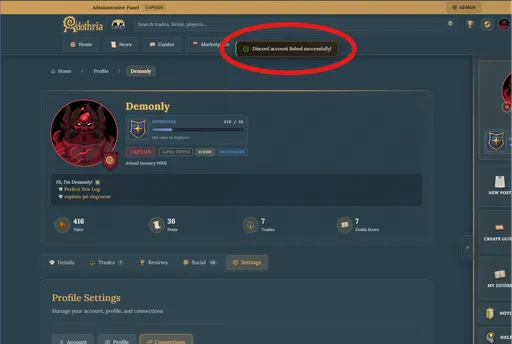
Proceed now from the Connections tab to the Account tab you will see a radio button to enable Discord Trade Notifications
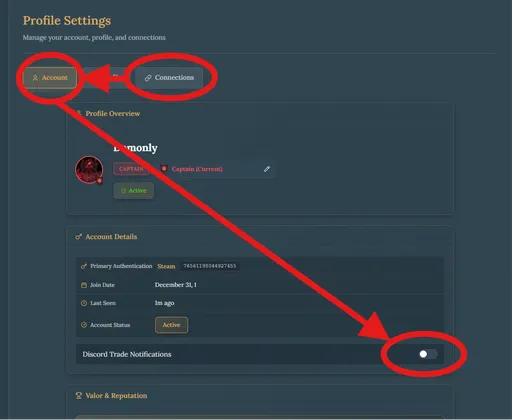
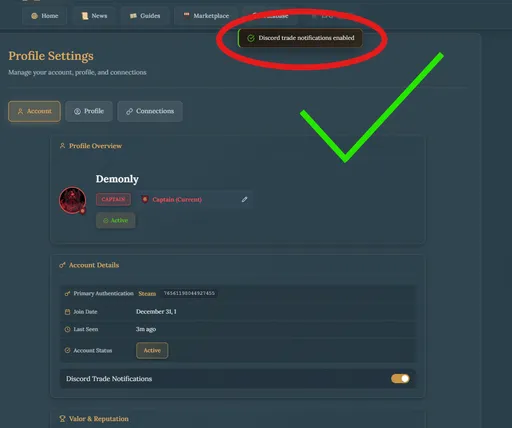
Click the radio button to enable/disable discord notifications.
Step 3 - Understanding discord threads
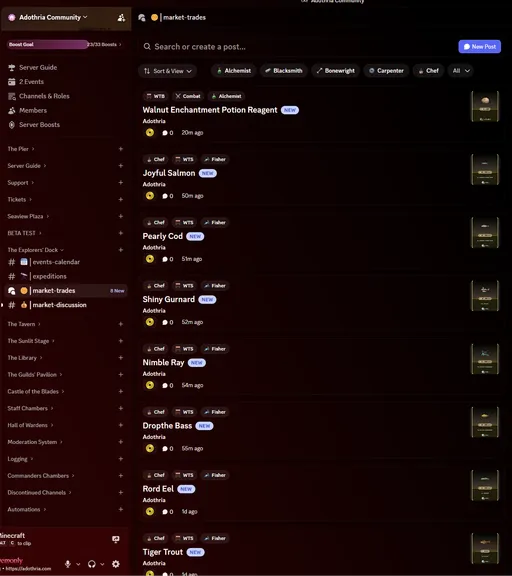
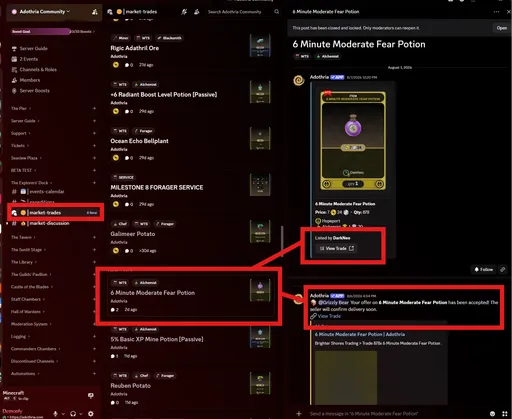
On the Adothria Discord you can see that we have a Market-Trades forum.
These threads are automatically updated on any operation on the trade, so if you were to:
- Receive an offer, you will be notified
- Make an offer that is accepted on another trade, you will be notified
- When an offer is ready for fulfilment (By moving it along in the trade dashboard)
- When you cancel a trade
- When you update a trade
Then the card/thread will automatically close/update/be open.
0 Comments